Ever feel lost when shopping for a new laptop? You see prices everywhere, and finding a good deal feels like a treasure hunt. Many people need a reliable computer but cannot spend a fortune. A budget of around $600 seems like a sweet spot—powerful enough for school or work, but easy on the wallet.
Choosing a laptop for $600 is tough. You worry about getting slow performance or a screen that looks dull. You do not want to buy something today only to regret it next month. We understand these worries! Finding the best balance between speed, screen quality, and battery life at this price point takes real digging.
This guide cuts through the confusion. We will show you exactly what features matter most in a $600 machine. You will learn how to spot the best deals and avoid common pitfalls. By the end, you will feel confident picking a fantastic laptop that fits your budget perfectly. Let’s dive into the best options available right now!
Top Laptop For 600.00 Recommendations

- 15.6" DISPLAY FOR EVERYDAY USE: Enjoy a spacious viewing experience on the 15.6-inch display, providing plenty of screen space for school assignments, web browsing, email, online shopping, video streaming, and everyday computing. A practical large-screen laptop for students, home users, and daily tasks.
- INTEL PROCESSOR FOR ESSENTIAL COMPUTING: Powered by an Intel Pentium N5000 processor with 2 cores, 4 threads and 2.4 GHz speed, this HP laptop is designed for essential everyday tasks including web browsing, schoolwork, documents, email, video calls, streaming, and light multitasking.
- 16GB RAM & 600GB STORAGE: Equipped with 16GB DDR4 memory for smoother everyday multitasking and generous 600GB local storage for school files, documents, photos, videos, downloads, and other personal content. A practical combination for students and everyday home computing.
- THIN & PORTABLE WITH UP TO 10 HOURS BATTERY LIFE: Designed for everyday mobility, this HP 15.6" laptop weighs approximately 3.9 lbs and offers up to 10 hours of battery life, making it convenient to carry and use between home, school, the library, classroom, or while traveling.

- 【Processor】Intel Celeron N4120 (up to 2.6 GHz burst frequency, 4 MB L2 cache, 4 cores, 4 threads) Ultra-low-voltage platform provides maximum high-efficiency power to go
- 【14" HD display】HP 14" Laptop with HD, micro-edge, BrightView display
- 【RAM & Storage】This computer comes with 16GB RAM & 128GB Storage
- 【Operating System】Windows 11 in S mode, 64-bit. You May Switch Windows 11 Home S Mode to the Regular Windows 11 Home

- Enjoy videos or browse online on a large 14” FHD IPS Display (1920 x 1080) panel; Weighs just over 3 lbs and is less than 1 inch thick.
- Intel Celeron N4020 Dual-core(4M Cache, 1.10GHz - 3.10GHz); Intel UHD Graphics 600.
- 4GB DDR4 RAM to smoothly run multiple applications and browser tabs all at once, 256GB Solid State Drive ideal for fast performance and file sharing.
- Windows 11 Pro; 2-cell, 45Wh, up to 8 Hours battery life; 12.9 x 9.3 x 0.7 inches.

- 【Processor】Equipped with Intel Celeron N4120 processor, 1.1GHz (Up to Turbo Boost 2.6 GHz, 4 cores, 4 threads). Whether you're working on documents, streaming videos, or browsing the web, it offers a responsive and seamless experience.
- 【Display】 14 Inch Display, 1366 x 768 resolution for clear visuals. Integrated Intel UHD Graphics 600 for regular office work, which deliver decent graphical performance for multimedia consumption, casual gaming, and video streaming.
- 【Upgraded】 Up to 4GB RAM is designed for basic tasks, the high-bandwith DDR4 RAM run your applications smoothly, as well as multiple programs and files all at once. Up to 128GB eMMC storage capacity is suitable for saving all your files and provides enough space to save more data.
- 【Connectivity 】 Stay connected with WiFi5 and Bluetooth built in, 1x USB 3.1 Type-C, 2x USB 3.0 Type A, 1x Headphone/Speaker/Line-Out Jack, enabling you to stay connected and access the internet wirelessly.
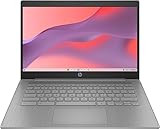
- 【Processor】Equipped with Intel Celeron N4120 processor, 1.1GHz (Up to Turbo Boost 2.6 GHz, 4 cores, 4 threads). Whether you're working on documents, streaming videos, or browsing the web, it offers a responsive and seamless experience.
- 【Display】 14 Inch Display, 1366 x 768 resolution for clear visuals. Integrated Intel UHD Graphics 600 for regular office work, which deliver decent graphical performance for multimedia consumption, casual gaming, and video streaming.
- 【Upgraded】 Up to 4GB RAM is designed for basic tasks, the high-bandwith DDR4 RAM run your applications smoothly, as well as multiple programs and files all at once. Up to 128GB eMMC storage capacity is suitable for saving all your files and provides enough space to save more data.
- 【Connectivity 】 Stay connected with WiFi5 and Bluetooth built in, 1x USB 3.1 Type-C, 2x USB 3.0 Type A, 1x Headphone/Speaker/Line-Out Jack, enabling you to stay connected and access the internet wirelessly.

- 【RAM & Storage】This computer comes with 4GB RAM | 64GB SSD
- 【Intel Celeron N4120 Processor】It is a quad-core SoC primarily for inexpensive notebooks and was announced late 2019. It runs at 1.1-2.6 GHz (Single Core Burst) and is based on the Gemini Lake platform. Compared to the predecessor, the Celeron N4100, the refresh offers a 200 MHz higher Boost clock
- 【 14" HD display】HP 14" Laptop with HD, micro-edge, BrightView display.
- 【Other Features】 Intel UHD Graphics 600,Wi-Fi 5 and Bluetooth,HP True Vision HD camera,Windows 11 in S mode with Microsoft Office 365 1 year.


- 【Processor】Equipped with Intel Celeron N4120 processor, 1.1GHz (Up to Turbo Boost 2.6 GHz, 4 cores, 4 threads). Whether you're working on documents, streaming videos, or browsing the web, it offers a responsive and seamless experience.
- 【Display】 14 Inch FHD Display, 1920 x 1080 resolution for clear visuals. Integrated Intel UHD Graphics 600 for regular office work, which deliver decent graphical performance for multimedia consumption, casual gaming, and video streaming.
- 【Upgraded】 Up to 8GB RAM is designed for basic tasks, the high-bandwith DDR4 RAM run your applications smoothly, as well as multiple programs and files all at once. Up to 128GB eMMC storage capacity is suitable for saving all your files and provides enough space to save more data.
- 【Connectivity 】 Stay connected with WiFi5 and Bluetooth built in, 1x USB 3.1 Type-C, 2x USB 3.0 Type A, 1x Headphone/Speaker/Line-Out Jack, enabling you to stay connected and access the internet wirelessly. Backlit Keyboard
The Smart Shopper’s Guide to Laptops Under $600
Finding a great laptop without spending a fortune is totally possible. A $600 budget lands you in the sweet spot for solid, reliable machines. This guide will help you pick the best one for your needs.
Key Features to Prioritize
When you shop for a laptop around $600, you need to focus on the parts that make the computer run smoothly.
Processor (The Brain)
- Look for Intel Core i3 (latest generations) or AMD Ryzen 3 processors. These handle schoolwork, browsing, and streaming well.
- Avoid very old models or Celeron/Atom chips if you plan to multitask.
RAM (Short-Term Memory)
RAM lets you run many things at once. More RAM means less waiting.
- Aim for 8GB of RAM. This is the minimum for a good experience today.
- 4GB is too little for most people and will slow things down quickly.
Storage (Where Files Live)
Storage speed matters more than size at this price point.
- Always choose an SSD (Solid State Drive). SSDs make the laptop start up in seconds.
- 256GB SSD is a good starting point. If you need more space, plan to use cloud storage (like Google Drive) or an external hard drive later.
Display Quality
You will look at this screen a lot!
- A Full HD (1920 x 1080 resolution) screen is a must-have. Lower resolutions look blurry.
- Screen size is personal. 14-inch is portable; 15.6-inch is better for watching movies or typing reports.
Important Materials and Build Quality
Laptops in this price range usually use durable plastic for the chassis (the body). This keeps the cost down, which is good for your wallet.
Durability Factors
- Check reviews to see if the keyboard flexes too much when you type hard.
- The hinges connecting the screen to the base should feel sturdy. Poor hinges break easily.
Factors That Improve or Reduce Quality
Small details can make a big difference in how you feel using the laptop every day.
Things That Improve the Experience:
- **Backlit Keyboard:** This helps you type in dark rooms. It’s a great feature to find under $600.
- **USB-C Port:** This modern port charges devices and transfers data faster.
- **Good Battery Life:** Look for reviews that confirm 6+ hours of real-world use.
Things That Reduce the Experience:
- **Slow Hard Disk Drives (HDD):** If a laptop only has an old HDD instead of an SSD, avoid it. It will feel incredibly slow.
- **Low-Quality Webcams:** Most webcams under $600 are basic. If you do many video calls, check if the quality is acceptable in reviews.
- **Windows S Mode:** Some new laptops come locked in “S Mode.” You must switch out of it to install normal programs, which takes an extra step.
User Experience and Common Use Cases
A $600 laptop excels at many common tasks, but it has limits.
Great For:
- **Students:** Writing papers, researching online, using learning apps, and taking notes.
- **Home Use:** Streaming Netflix or YouTube, checking email, and light photo viewing.
- **Basic Productivity:** Using Microsoft Office (Word, Excel) or Google Docs.
Not Ideal For:
- **Heavy Gaming:** These machines lack the powerful graphics cards needed for demanding modern video games.
- **Heavy Video Editing:** Complex editing software will make these processors struggle.
Frequently Asked Questions (FAQ)
Q: Can I play games on a laptop for $600?
A: You can play very light or older games. Modern, heavy games will not run well because the graphics chip is usually not strong enough.
Q: Should I get Windows or ChromeOS (Chromebook) at this price?
A: If you need to run specific desktop programs (like full Microsoft Office), get Windows. If you only use web apps (like Google Docs), a high-spec Chromebook can sometimes offer better battery life for less money.
Q: Is 8GB of RAM enough for multitasking?
A: Yes, 8GB is enough for light multitasking, like having five browser tabs open while listening to music. If you open twenty tabs, you might notice slowdowns.
Q: What is the importance of the processor generation?
A: Newer generations of the same processor (like an 11th Gen Core i3 vs. a 10th Gen Core i3) are more efficient and faster, even if the name sounds the same. Always check the generation number.
Q: Will this laptop last me several years?
A: If you take good care of it and stick to basic tasks, a well-chosen $600 laptop should serve you well for 3 to 4 years before it starts feeling slow for newer software updates.
Q: Is a touchscreen worth it in this price range?
A: Touchscreens often add cost and can reduce battery life. Unless you specifically want to use it like a tablet, focus your budget on better RAM or an SSD instead.
Q: How much storage should I choose (256GB vs 512GB)?
A: 256GB is usually fine if you save most files online. If you download lots of movies or school files locally, try to find a 512GB SSD, but you might have to sacrifice RAM or processor quality to get it.
Q: Should I worry about the laptop’s weight?
A: Laptops around $600 often weigh 3.5 to 4.5 pounds. If you carry it in a backpack all day, look for models closer to 3 pounds, but they might use cheaper plastic.
Q: What does “refurbished” mean when looking under $600?
A: Refurbished means a previous customer returned it, and the company fixed it. You might get a much better laptop (like a Core i5 model) for the price, but make sure it has a good warranty.
Q: Are there any ports I absolutely need?
A: You need at least one standard USB-A port (for older flash drives or mice) and an HDMI port (to connect to a TV or monitor).

Hi, I’m Mallory Crusta, the heart and mind behind LovelyPetSpot.com.. As a passionate pet enthusiast, I created this space to share my experiences, expertise, and love for all things pets. Whether it’s helpful tips, heartfelt stories, or advice for pet parents, my mission is to make the journey of caring for your furry, feathery, or scaly friends as joyful and fulfilling as possible. Join me in celebrating the incredible bond we share with our animal companions!