Imagine stepping into a whole new world, right from your living room. That’s the magic of the Meta Quest! But with so many amazing apps available, how do you pick the best ones to truly unlock its potential? It’s like staring at a giant candy store with too many delicious choices – you want the best treats, but where do you even start?
Choosing the right apps can feel overwhelming. You want games that thrill you, experiences that educate you, and tools that make your virtual life easier. But sifting through endless lists and reviews can be a real chore, and you might end up with apps that don’t quite hit the mark, leaving you feeling a little disappointed.
Don’t worry, we’ve got you covered! This post will be your friendly guide through the exciting world of Meta Quest Apps. We’ll break down what makes certain apps stand out, highlight some must-have experiences, and help you find exactly what you’re looking for. Get ready to discover your next virtual adventure!
Top Meta Quest Apps Recommendations

- GOLF+ — Play your next round at TPC Sawgrass. Get GOLF+, 1,800 in-game credits and more with Meta Quest 3S.
- HOW TO REDEEM — Activate and set up your Meta Quest, pair your Meta Quest with the Meta Horizon app and claim GOLF+ during the pairing process.
- NO WIRES, MORE FUN — Break free from cords. Game, play and explore immersive worlds — untethered and without limits.
- 2X GRAPHICAL PROCESSING POWER — Enjoy lightning-fast load times and next-gen graphics for smooth gaming powered by the Snapdragon XR2 Gen 2 processor.

- GOLF+ — Play your next round at TPC Sawgrass. Get GOLF+, 1,800 in-game credits and more with Meta Quest 3.
- HOW TO REDEEM — Activate and set up your Meta Quest, pair your Meta Quest with the Meta Horizon app and claim GOLF+ during the pairing process.
- NEARLY 30% LEAP IN RESOLUTION — Experience every thrill in breathtaking detail with sharp graphics and stunning 4K+ Infinite Display.
- NO WIRES, MORE FUN — Break free from cords. Game, play and explore in immersive worlds — untethered and without limits.
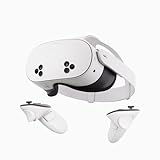
- NO WIRES, MORE FUN — Break free from cords. Game, play, exercise and explore immersive worlds — untethered and without limits.
- 2X GRAPHICAL PROCESSING POWER — Enjoy lightning-fast load times and next-gen graphics for smooth gaming powered by the SnapdragonTM XR2 Gen 2 processor.
- EXPERIENCE VIRTUAL REALITY — Take gaming to a new level and blend virtual objects with your physical space to experience two worlds at once.
- 2+ HOURS OF BATTERY LIFE — Charge less, play longer and stay in the action with an improved battery that keeps up.


- 256GB Storage Capacity
- Top VR Experience: Oculus Quest 2 features a blazing-fast processor, top hand-tracking system, and 1832 x 1920 Pixels Per Eye high-resolution display, offering an incredibly immersive and smooth VR gaming experience.
- Anti-Slip Controller Grip Covers: grip covers are made of nice silicone material that effectively prevents sweat, dust, and scratches. Anti-slip bumps enhance the handgrip and feel.
- Adjustable Knuckle Straps: knuckle straps make it possible to relax your hands without dropping the controllers. High-quality PU material offers extra durability and velcro design makes it easy to adjust the strap length to different needs.

- ➤【Multiple Model Adaptations】- The VR Stand is compatible with Meta Quest 2/Quest 3S/Quest 3. The side suspension holds Quest 2 controllers and the base stores Quest 3 controllers. Also, you can charge your VR headset. NOTE: The charging stand can't charge the controllers
- ➤【Easy Charge & Display】- Put the VR headset on the upper part of the plastic bracket and fix it. Then plug the TYPE-C charging cable into the headset charging port. The charging time of the VR console is about 3 - 5 hours. NOTE: Use 5V-3A, 9V-3A and 12V-3A power adapter to connect our VR stand, otherwise the charging speed will be slow due to low voltage.
- ➤【Neat and Compact Game Display Stand】- Keep your game room clean and tidy with our VR charging stand. It provides a dedicated space to store your headset and touch controllers. Also compatible with headsets with 3rd party head straps, headphones, cables, and more. Quest 3 controllers wearing silicone sleeves can be stored without removing the sleeves. Say goodbye to tangled cords and cluttered gaming areas and meet your higher demands for storage.
- ➤【More Stable and Secure Base】-The VR headset charging dock is made of high-quality ABS plastic. The contact area of the base is enlarged and the bottom of the base is equipped with 4 non-slip pads, which makes placing the VR headset and touch controller safer and more stable.
Your Guide to Awesome Meta Quest Apps
Dive into the World of Virtual Reality
Meta Quest apps unlock amazing adventures right from your living room. These apps let you play games, watch movies, learn new things, and even exercise in a whole new way. Choosing the right apps makes your VR experience even better. This guide helps you find the best apps for your Meta Quest headset.
Key Features to Look For
When you browse the Meta Quest store, keep these important features in mind.
1. Immersion and Interactivity
Great apps make you feel like you’re really there. Look for apps that let you use your hands to grab things, throw objects, or interact with the virtual world. Apps with responsive controls are the most fun. They make you feel like you are part of the game or experience.
2. Graphics and Sound
Good graphics make the virtual world look real and exciting. Clear, crisp visuals pull you in. Amazing sound effects and music also make a big difference. They help you feel the atmosphere of the app. High-quality sound can make a game scarier or a concert more amazing.
3. Replayability and Content
Some apps are fun for just a little while. Others offer lots to do and you can play them over and over. Look for apps with different levels, challenges, or ways to play. Apps that get updated with new content also stay exciting longer.
4. Social Features
Many VR apps let you play with friends or meet new people. Apps with multiplayer modes or social hubs are great for connecting with others. You can explore virtual worlds together or compete in fun games. This makes VR a more shared experience.
Important Materials (Think About What Makes Them Work)
You don’t need to worry about physical materials for apps. Instead, think about what makes the app itself well-made.
- Good Design: This means the app is easy to understand and use. Buttons are where you expect them to be. The menus are clear.
- Smooth Performance: The app runs without crashing or freezing. It feels fast and responsive. This is super important for VR.
- Fun Gameplay/Activities: At its heart, the app needs to be enjoyable. Whether it’s a challenging game or a relaxing experience, it should be fun.
Factors That Improve or Reduce Quality
Lots of things can make an app great or not so great.
- Updates: Developers who regularly update their apps fix problems and add new features. This keeps the app fresh and exciting.
- User Reviews: Reading what other people say about an app is very helpful. Good reviews usually mean a high-quality app. Bad reviews can warn you about problems.
- Price: While not always true, sometimes very cheap or free apps might not have as much polish. However, there are many amazing free apps too. Consider the value you get for the price.
- Buggy Code: If an app has lots of errors or glitches, it will be frustrating to use. This really hurts the quality.
User Experience and Use Cases
Meta Quest apps fit into many parts of your life.
- Gaming: This is a huge part of VR. You can fight dragons, race cars, or solve puzzles. Games are designed to be exciting and immersive.
- Fitness: Many apps turn exercise into a game. You can box, dance, or do yoga in virtual reality. It’s a fun way to stay active.
- Socializing: Connect with friends in virtual spaces. You can hang out, watch movies together, or play games. It feels like you’re in the same room.
- Learning and Creativity: Explore historical sites, learn a new skill, or create art in 3D. VR opens up new ways to learn and be creative.
- Entertainment: Watch movies in your own private cinema or attend virtual concerts. VR offers unique entertainment options.
Frequently Asked Questions about Meta Quest Apps
Q: What are the main Key Features to look for in Meta Quest apps?
A: Look for apps with great immersion, good graphics and sound, lots of content, and social features so you can play with friends.
Q: Do I need special materials to use Meta Quest apps?
A: No, you don’t need physical materials. The app itself needs good design and smooth performance to be high quality.
Q: How do app updates affect app quality?
A: Regular updates improve apps by fixing problems and adding new fun things. This keeps the app exciting.
Q: Are there apps for exercise on the Meta Quest?
A: Yes, many apps help you get fit by turning exercise into fun games like boxing or dancing.
Q: Can I play Meta Quest apps with my friends?
A: Yes, many apps have multiplayer modes so you can play games or just hang out with friends in VR.
Q: What if an app has a lot of bugs?
A: Bugs and glitches make an app frustrating. A good app runs smoothly without many errors.
Q: How can user reviews help me choose an app?
A: Reading reviews tells you what other people think. They can warn you about bad apps or show you which ones are the best.
Q: Are Meta Quest apps only for games?
A: No, there are apps for fitness, socializing, learning, creativity, and watching movies too.
Q: What does “immersion” mean in VR apps?
A: Immersion means feeling like you are really inside the virtual world. Good apps make you feel present.
Q: How important are graphics and sound for a good VR app?
A: Very important! Good graphics make the world look real, and great sound makes the experience more exciting and believable.

Hi, I’m Mallory Crusta, the heart and mind behind LovelyPetSpot.com.. As a passionate pet enthusiast, I created this space to share my experiences, expertise, and love for all things pets. Whether it’s helpful tips, heartfelt stories, or advice for pet parents, my mission is to make the journey of caring for your furry, feathery, or scaly friends as joyful and fulfilling as possible. Join me in celebrating the incredible bond we share with our animal companions!