Imagine designing a bridge that stands strong for a hundred years. Or planning a city that’s safe and efficient for everyone. That’s the exciting work civil engineers do! But to bring these big ideas to life, you need the right tools. And for a civil engineering student, the most important tool you’ll carry everywhere is your laptop.
Choosing a laptop for civil engineering can feel like a puzzle. You need something powerful enough to run complex software, but also something that won’t break the bank or weigh you down during long days on campus. Many students worry about picking a laptop that’s too slow, can’t handle the programs they need, or runs out of battery too quickly. It’s a big decision that can impact your studies.
Don’t worry! By the end of this post, you’ll understand exactly what makes a laptop great for civil engineering. We’ll break down the features that matter most, helping you find a machine that will be your reliable partner through lectures, design projects, and beyond. Get ready to discover your perfect engineering companion!
Top Laptop For Civil Engineering Students Recommendations
- Sticks Well on Multiple Surfaces – Our premium vinyl stickers are made to stick securely to laptops, water bottles, phone cases, journals, skateboards, and even car windows. Each sticker uses durable adhesive that grips smooth and slightly textured surfaces with ease.
- No Residue Left Behind – Designed with high-quality, professional-grade vinyl, these stickers remove cleanly without damaging your device or leaving sticky residue.
- Easy to Remove – Although they hold strong, each sticker can be gently lifted and adjusted during application. Ideal for customizing laptops, notebooks, and planners without worrying about misalignment.
- Long-Lasting & Waterproof – Made from outdoor-rated vinyl, these decals are fully waterproof, weather-resistant, and fade-proof. Safe for cars, water bottles, and gear exposed to rain, sunlight, and daily use—built to look great for years.
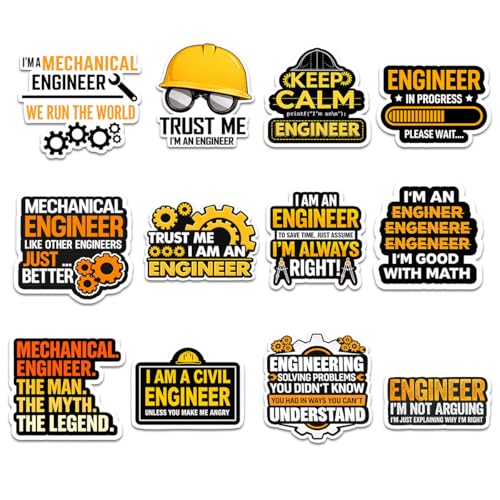
- Personalized Decoration: This bold black, orange, and yellow engineering sticker pack features 12 profession-humor designs including "Trust Me I'm an Engineer," "I'm a Mechanical Engineer We Run the World," "Engineering Solving Problems You Didn't Know You Had," "Keep Calm I'm an Engineer," "Engineer in Progress," "I Am Always Right," and more — perfect for water bottles, laptops, tumblers, phone cases, journals, and notebooks.
- Thoughtful Gift Choice: A perfect gift for mechanical engineers, civil engineers, engineering students, STEM graduates, engineering professors, coworkers at engineering firms, and anyone who solves problems others can't understand — great for birthdays, graduations, Engineer's Week, office appreciation gifts, and holiday presents.
- Search us: funny engineer stickers, mechanical engineer sticker pack, civil engineer decals, engineering humor stickers, trust me I'm an engineer sticker, engineer in progress sticker, STEM sticker pack, engineering student gift stickers, keep calm engineer sticker, engineer always right sticker, mechanical engineer we run the world sticker, funny engineering decals
- Premium Quality & Weatherproof: Made from durable waterproof vinyl with UV-resistant, scratch-resistant coating — these stickers feature a strong adhesive that bonds firmly to most smooth surfaces indoors and outdoors, keeping vivid orange, yellow, and black designs intact through daily wear, washing, and weather exposure.

- High Quality - You can be sure that only high-quality vinyl is used for Engineering stickers. Our stickers are made of durable vinyl material, ensuring long-lasting adhesion and vibrant colors.
- STICKER SHEETS - Engineering sticker pack contains several sheets. Sticker sheets are less likely to get damaged or bent compared to loose, cut-out stickers.
- WATERPROOF – Engineering stickers are designed to be waterproof, so they are perfect for use on water bottles and outdoor items.
- PERFECT GIFT - Surprise your friends and family with these fun and expressive Engineering stickers, perfect for any occasion. Stickers are a great gift for anyone who loves personalizing their belongings.
- This civil engineer--like a normal engineer, only cooler See also:awesome, exceptional notebook cover with the lined notebook is enough for your daily use and replacement needs.
Perfect as writing gift, bookish gift, bookworm gift, book club gift, book nerd gift, bibliophile gift, book lover gift, book themed gift, literary lovers gift, etc.
Feel free to contact us if you have any questions, we will reply to you promptly.
- ENGINEER MODE ON DESIGN: Features bold “Engineer Mode On” lettering paired with a detailed green toggle switch illustration. A fun choice for engineer stickers, funny engineer stickers, and engineering quote designs.
- FUNNY ENGINEERING HUMOR: Celebrates the problem-solving mindset of engineers with a playful power-switch concept. Ideal for fans of engineering humor stickers, tech humor, and funny work stickers.
- VERSATILE EVERYDAY DECORATION: Personalize laptops, notebooks, journals, toolboxes, planners, and other compatible smooth surfaces with this engineer quote sticker. Apply to a clean, dry surface for the best appearance.
- GIFT FOR ENGINEERS: A fun gift idea for mechanical engineers, electrical engineers, software engineers, engineering students, STEM enthusiasts, and coworkers who appreciate engineering gifts, technology stickers, and profession-themed accessories.

- WITTY ENGINEERING HUMOR: Features a hilarious dictionary-style definition of an "Engineer" as someone who does precision guesswork based on unreliable data. The design is accented with detailed mechanical gears and vintage typewriter fonts, making it a relatable badge of honor for professionals.
- PREMIUM VALUE PACK OF 3: Every order includes three individual 2-inch high-quality stickers, allowing you to decorate multiple items or share a laugh with your project team. The 2-inch size is compact and versatile, fitting perfectly on phone cases, tablet covers, or crowded laptop lids.
- DURABLE WATERPROOF VINYL: Crafted from industrial-grade, thick vinyl material that is 100% waterproof and UV resistant to ensure the black-and-white art remains crisp. These tough decals are built to survive the workshop, field site, or frequent handling on water bottles without peeling.
- STRONG ADHESIVE & CLEAN REMOVAL: Engineered with a professional-grade self-adhesive backing that bonds securely to smooth, non-porous surfaces like metal, plastic, and glass. Personalize your gear with confidence, knowing the stickers can be removed cleanly without leaving behind any messy or sticky residue.

- Dimensions (in inches): 8 W x 8 H x 0.25 D
- Matte finish
- Soft to touch, will not crack or peel
- Clean with mild detergent

- MEASUREMENTS: 3"x3" (Small) or 5"x5" (Large)
- PROFESSIONALLY PRINTED: This vinyl sticker is created with vivid, vibrant colors and crisp, long-lasting graphic images.
- HIGH QUALITY: The bumper sticker is printed on durable 4 mil vinyl with premium inks that resist the sun and elements, so your message will last for the long haul.
- MULTIPURPOSE: Express yourself on your Notebook, Tumbler, Laptop, Computer, Car, Windows, Hard Hats, Tool Box, Skateboard, Longboard, Locker, Cubicle, and so much more.
Choosing the Right Laptop for Your Civil Engineering Journey
As a civil engineering student, your laptop is more than just a device for taking notes. It’s your portal to complex design software, data analysis tools, and crucial research. Picking the right one can save you headaches and boost your productivity. Let’s break down what you need to know.
Key Features to Look For
1. Processor (CPU): The Brain of Your Laptop
Think of the processor as the laptop’s brain. For civil engineering, you’ll run demanding software like AutoCAD, Revit, and structural analysis programs. These need a powerful brain to work smoothly. Look for Intel Core i5 or i7 processors, or AMD Ryzen 5 or 7. The higher the number, generally the faster it is.
2. RAM (Memory): For Multitasking Masters
RAM is like your laptop’s short-term memory. It helps you run multiple programs at once without slowing down. Civil engineering students often juggle design software, spreadsheets, and web browsers. Aim for at least 16GB of RAM. If your budget allows, 32GB is even better.
3. Storage (SSD vs. HDD): Speed and Space
You have two main choices for storage: Solid State Drive (SSD) and Hard Disk Drive (HDD). SSDs are much faster. They load programs and boot up your laptop in seconds. This makes a huge difference when working with large design files. HDDs are cheaper but slower. We strongly recommend an SSD for your main drive, at least 512GB. You can always add an external drive for extra space.
4. Graphics Card (GPU): For Visual Powerhouses
Civil engineering software often involves 3D modeling and complex graphics. A dedicated graphics card (GPU) handles these tasks. Integrated graphics (built into the CPU) are okay for basic tasks, but a dedicated NVIDIA GeForce or AMD Radeon card will make your design work much smoother. Look for something with at least 4GB of VRAM.
5. Display Size and Resolution: Seeing the Details
You’ll spend hours looking at your screen. A larger screen (15-inch or 17-inch) can be more comfortable for detailed design work. Good screen resolution (Full HD or 1920×1080) is important for sharp images and text. Consider a laptop with good color accuracy too.
6. Battery Life: Power on the Go
You won’t always be near an outlet. Good battery life means you can work through lectures or study sessions without searching for a plug. Aim for a laptop that offers at least 8 hours of real-world use.
Important Materials and Build Quality
Laptops are made from different materials. Plastic is common and keeps costs down. Metal, like aluminum, makes a laptop feel more premium and sturdy. A well-built laptop can survive the bumps and knocks of student life. Check reviews for mentions of hinge durability and keyboard flex. A strong chassis protects your valuable components.
Factors That Improve or Reduce Quality
Improving Quality:
- Build Materials: Metal chassis feel more robust.
- Cooling System: Good cooling prevents overheating, which slows down performance.
- Keyboard and Trackpad: Comfortable and responsive inputs make a big difference.
- Port Selection: Enough USB ports, HDMI, and an SD card reader are very useful.
Reducing Quality:
- Cheap Plastic: Can feel flimsy and break easily.
- Poor Cooling: Leads to thermal throttling and slow performance.
- Low-Resolution Screen: Makes detailed work harder.
- Limited Ports: Can force you to carry extra adapters.
User Experience and Use Cases
As a civil engineering student, your laptop will be your workhorse. You’ll use it for:
- CAD Software: Designing buildings, bridges, and infrastructure.
- Simulation and Analysis: Testing structural integrity and material properties.
- Data Analysis: Working with survey data and project management tools.
- Research and Writing: Accessing academic papers and writing reports.
- Presentations: Sharing your designs and findings.
A good laptop makes these tasks enjoyable, not frustrating. It should be reliable, fast, and comfortable to use for long periods.
Frequently Asked Questions (FAQ)
Q: What is the most important component for civil engineering software?
A: The processor (CPU) and RAM are the most important. They handle the heavy lifting for design and analysis programs.
Q: Do I need a dedicated graphics card?
A: Yes, a dedicated graphics card (GPU) is highly recommended for smoother 3D modeling and visualization in your engineering software.
Q: How much storage do I need?
A: Aim for at least a 512GB SSD. Engineering software and project files can take up a lot of space.
Q: Is a touchscreen important for a civil engineering laptop?
A: Not usually. While some students might find it useful for note-taking, it’s not a core requirement for most engineering tasks.
Q: What screen size is best?
A: A 15-inch or 17-inch screen offers more space for detailed work. Full HD (1920×1080) resolution is a must.
Q: How much RAM is enough?
A: 16GB of RAM is the minimum. 32GB is ideal for running multiple demanding applications smoothly.
Q: Should I buy a gaming laptop for civil engineering?
A: Gaming laptops often have the powerful specs needed for engineering software, like good processors and graphics cards. They can be a good option if they fit your budget.
Q: What about portability?
A: While power is important, consider a laptop that isn’t too heavy if you’ll be carrying it around campus a lot.
Q: How long should my laptop battery last?
A: Look for a laptop that can last at least 8 hours on a single charge for practical use throughout the day.
Q: Where can I find reliable reviews?
A: Check tech websites, YouTube channels that focus on laptops, and user reviews on retail sites.

Hi, I’m Mallory Crusta, the heart and mind behind LovelyPetSpot.com.. As a passionate pet enthusiast, I created this space to share my experiences, expertise, and love for all things pets. Whether it’s helpful tips, heartfelt stories, or advice for pet parents, my mission is to make the journey of caring for your furry, feathery, or scaly friends as joyful and fulfilling as possible. Join me in celebrating the incredible bond we share with our animal companions!