Remember the days of unfolding giant paper maps, hoping you didn’t miss your turn? For many of us, technology has made getting around much easier. But what about our older loved ones who might find new gadgets a bit tricky? Choosing a car GPS for seniors can feel overwhelming. The screens might be too small, the buttons too complicated, or the voice too fast. It’s a common worry for families wanting to ensure their seniors stay independent and safe on the road.
This is where a good car GPS can be a game-changer. It’s not just about finding directions; it’s about giving confidence, reducing stress, and maintaining freedom. In this post, we’ll break down what makes a GPS perfect for seniors. You’ll learn about the simple features that matter most, how to avoid common frustrations, and what to look for to make sure your choice is a helpful companion, not a confusing hurdle. Let’s find the best way to navigate this important decision together.
Top Car Gps For Seniors Recommendations

- 2026 Latest Maps with Free Lifetime Updates: Preloaded with the latest 2026 North America maps covering the United States, Canada, and Mexico. Enjoy free lifetime map updates with no subscription required.
- Custom Truck Routing for Safer Driving: This GPS navigator supports intelligent vehicle-specific routing for cars, trucks, RVs, pickups, and commercial vehicles. Customize routes based on your vehicle’s height, weight, and width to help avoid restricted roads, low bridges, and weight-limited areas.
- Real Voice Guidance & Smart Safety Alerts: Stay focused on the road with real voice turn-by-turn guidance in multiple languages. Receive intelligent alerts for speed limits, red light cameras, sharp curves, lane guidance, school zones, and dangerous road conditions for a safer driving experience.
- 7” HD Touchscreen with Day & Night Modes: The 7-inch HD touchscreen delivers clear visibility and responsive touch control for easy navigation. Switch between 2D/3D map views and automatic day/night display modes for comfortable viewing in different driving conditions, even under sunlight.

- Bright, high-resolution 5” glass capacitive touchscreen display lets you easily view your route
- Get more situational awareness with alerts for school zones, speed changes, sharp curves and more
- View food, fuel and rest areas along your active route, and see upcoming cities and milestones
- View Tripadvisor traveler ratings for top-rated restaurants, hotels and attractions to help you make the most of road trips
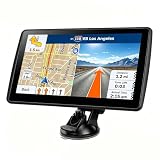
- 【Map Updates】 This car GPS comes pre-installed with the complete 2026 North America maps and supports free lifetime updates. If you need maps for Europe or other regions, please contact us to download.
- 【Smart Voice Alerts】 This GPS navigation system provides clear turn-by-turn voice guidance, and also alerts you to speed limits and school zones, helping you drive more safely.
- 【Custom Truck Routing】 Supports multiple modes including Car, Truck, Bus, RV, Bicycle, and Pedestrian. In Truck/RV mode, the system automatically avoids low bridges, weight-restricted roads, and narrow lanes.
- 【Real-Time Trip Data Display】 The high-definition 7-inch touchscreen continuously shows your current speed, remaining distance, and other real-time information. You can search by address, postal code, coordinates, or POI, and then choose from "Fastest, Shortest, Most Economical, or Simplest" routes.
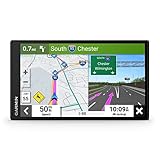
- 7” high-resolution navigator includes map updates of North America .Special Feature:Easy-To-Read Display; Voice Assist; Hands-Free Calling; Live Traffic and Weather; Traffic Cams and Parking; Smart Notifications,Driver Alerts; Tripadvisor; National Parks Directory; Find Places by Name; Garmin Real Directions Feature.
- Hands-free calling when paired with your compatible smartphone with BLUETOOTH technology and convenient Garmin voice assist lets you ask for directions to places you want to go
- Road trip–ready features include the HISTORY database of notable sites, a U.S. national parks directory, Tripadvisor traveler ratings and millions of Foursquare POIs
- Driver alerts for things such as school zones, sharp curves and speed changes help encourage safer driving and increase situational awareness

- 6” high-resolution navigator includes map updates of North America
- Hands-free calling when paired with your compatible smartphone with BLUETOOTH technology and convenient Garmin voice assist lets you ask for directions to places you want to go
- Road trip–ready features include the HISTORY database of notable sites, a U.S. national parks directory, Tripadvisor traveler ratings and millions of Foursquare POIs
- Driver alerts for things such as school zones, sharp curves and speed changes help encourage safer driving and increase situational awareness
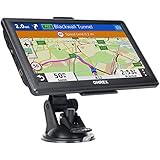
- 【Latest 2026 North America Maps】 OHREX 7" GPS Navigator for Car Truck RV works completely offline without cell service. It comes preloaded with 2026 North America maps (USA, Canada, Mexico) and does not require an internet or cellular connection to navigate.
- 【Free Lifetime Map Updates 】 Get the latest map by connecting OHREX GPS Navigation to the Windows pc. You can also use an exteranl TF Card for map update (with Mac & Windows system). Lifetime Map is free updated without Ads . You can regularly download latest data for maps, speed, and points of interest.
- 【Driver Alerts】 OHREX N700 GPS uses satellite positioning to determine your location and provides turn-by-turn voice guidance, speed camera and real-time alerts even in areas with no cell service — perfect for remote truck and RV routes.
- 【Professional GPS Navigation】 OHREX 7 inch TouchScreen GPS Navigation for Car Truck Motorhome & RV.(1) You can Customize Route According to Your Vehicle’s Weight, Length, Height and Width, Avoid Roads with Width/Height/Weight Restrictions (2) Intelligent Route Planning Fast & Economical. (3) Fast & Accurate GPS Tracking. (4) Displays Current Speed and ETA.

- 【Updated Maps】This gps navigation for car comes pre-loaded with 2026 North America maps and offers free lifetime updates. You can easily download additional maps for the UK, Europe and Australia. Keep your navigation system for vehicle current with the latest roads and points of interest through simple computer-connected updates
- 【Multi-Vehicle Routing】Optimize your journey! Input vehicle dimensions (height, weight, length, width) for custom routing that avoids unsuitable roads like low bridges or weight-restricted areas. Choose from profiles like Car, Truck, RV, Bus, or Bicycle for tailored route navigation
- 【Real-Time Voice Guidance & Driving Alerts】GPS for car provides turn-by-turn navigation in 25+ languages (English/French/Spanish included). Receive audible alerts for hazards like school zones, with live driving data: current speed, remaining distance, and ETA
- 【Intuitive Navigation & Routing Options】Easily view maps and operate the system on a bright, responsive 7-inch HD touchscreen. Find destinations quickly via address, POI, zip code, or coordinates
- Bright, high-resolution 5” glass capacitive touchscreen display lets you easily view your route
- Get more situational awareness with alerts for school zones, speed changes, sharp curves and more
- View food, fuel and rest areas along your active route, and see upcoming cities and milestones
- View Tripadvisor traveler ratings for top-rated restaurants, hotels and attractions to help you make the most of road trips
Choosing the Right Car GPS for Seniors: Your Essential Guide
Finding the perfect car GPS for seniors means looking for devices that are easy to use and understand. Safety and simplicity are key. This guide helps you pick the best one.
1. Key Features to Look For
You want a GPS that makes driving easier and safer. Think about what makes a device simple and helpful for everyday use.
Large, Clear Display
A big screen makes it easy to see directions. Look for bright colors and large text. This helps seniors read the map without straining their eyes.
Simple Interface
The buttons and menus should be straightforward. Avoid complicated options. A clean layout makes it easy to find what you need quickly.
Voice Guidance
Clear spoken directions are very important. The GPS should tell you when to turn. Make sure the voice is easy to understand and not too fast.
Pre-loaded Maps
You don’t want to worry about downloading maps. Most good GPS devices come with maps already installed. This means you can use it right away.
Speed Limit Alerts
Some GPS units show you the speed limit for the road you are on. They can also alert you if you are going too fast. This is a great safety feature.
Points of Interest (POI)
These are helpful places like gas stations, hospitals, or restaurants. A GPS with a good POI list makes it easy to find these places when you need them.
2. Important Materials and Build Quality
The way a GPS is made matters. It needs to be durable and easy to handle.
Durable Casing
The GPS should feel sturdy. It shouldn’t break easily if it’s dropped. A good casing protects the screen and internal parts.
Non-Glare Screen
A screen that doesn’t reflect sunlight is essential. This helps you see the display clearly, even on bright days. It reduces eye strain.
Easy-to-Grip Design
If the GPS is handheld, it should be comfortable to hold. A slightly textured surface can prevent slips.
3. Factors That Improve or Reduce Quality
Certain things make a GPS better or worse. Understanding these helps you make a smart choice.
Factors That Improve Quality:
- Accurate GPS Signal: A strong signal means the GPS knows exactly where you are. This prevents wrong turns.
- Regular Map Updates: Roads change. Devices that offer free or easy map updates keep your directions current.
- Intuitive Navigation: The GPS should guide you smoothly from your starting point to your destination. It should offer clear, logical routes.
- Long Battery Life: If you plan to use it without plugging it in, a good battery is a must.
Factors That Reduce Quality:
- Flimsy Construction: A GPS that feels cheap might not last long.
- Confusing Menus: Too many options or unclear labels make it hard to use.
- Slow Processing: A GPS that takes a long time to load maps or calculate routes can be frustrating.
- Poor Speaker Quality: If you can’t hear the voice directions clearly, the GPS isn’t very helpful.
4. User Experience and Use Cases
How does the GPS feel to use? Who is it best for?
Ease of Setup
You should be able to set it up quickly. Plugging it in and turning it on should be simple. The initial setup should not be complicated.
Daily Driving
For seniors who drive regularly, a GPS can provide peace of mind. It helps them navigate to familiar places and new destinations with confidence.
Visiting Family and Friends
Planning a trip to see loved ones? A GPS makes sure you get there without getting lost. It can find the quickest routes.
Medical Appointments
Getting to doctor’s appointments on time is important. A reliable GPS ensures you don’t miss them. It can even find parking near the clinic.
Exploring New Areas
For seniors who enjoy day trips or exploring new towns, a GPS is a great companion. It opens up new possibilities for adventure.
A good car GPS for seniors is more than just a gadget. It’s a tool that promotes independence and safety. Choose wisely, and enjoy the journey!
Frequently Asked Questions (FAQ)
Q: What are the main Key Features I should look for in a car GPS for seniors?
A: You should look for a large, clear display, a simple interface, clear voice guidance, pre-loaded maps, speed limit alerts, and a good list of points of interest.
Q: Are there any specific materials that make a GPS better for seniors?
A: Yes, a durable casing that feels sturdy and a non-glare screen are important. A slightly textured surface can also help with grip.
Q: How do I know if a GPS is good quality?
A: Good quality GPS units have an accurate GPS signal, offer regular map updates, provide intuitive navigation, and have long battery life. Avoid units with flimsy construction or confusing menus.
Q: Can a GPS help seniors who are not good with technology?
A: Absolutely. A GPS designed for seniors focuses on simplicity. It has easy-to-understand buttons and clear instructions, making it accessible even for those less familiar with technology.
Q: What happens if the GPS map is out of date?
A: If the map is out of date, the GPS might give you wrong directions. Look for devices that offer free or easy map updates to keep your navigation accurate.
Q: Is it hard to set up a car GPS?
A: Most modern GPS devices are designed for easy setup. You typically just need to mount it, plug it in, and turn it on. The initial steps are usually very straightforward.
Q: Can I use a GPS to find places like pharmacies or hospitals?
A: Yes, most GPS devices have a “Points of Interest” (POI) feature. This lets you search for and navigate to places like pharmacies, hospitals, gas stations, and restaurants.
Q: What if I’m driving in an area with no cell service? Will the GPS still work?
A: Yes, most car GPS devices work using satellite signals, not cell service. So, they will continue to function even in areas with no phone signal.
Q: How important is the voice guidance on a GPS for seniors?
A: Voice guidance is very important. It allows seniors to keep their eyes on the road while receiving turn-by-turn directions. Clear, understandable voices are a key feature.
Q: Can a GPS help me avoid getting lost when visiting family?
A: Definitely. A GPS can help you plan your route in advance and guide you directly to your destination. It takes the stress out of navigating unfamiliar roads.

Hi, I’m Mallory Crusta, the heart and mind behind LovelyPetSpot.com.. As a passionate pet enthusiast, I created this space to share my experiences, expertise, and love for all things pets. Whether it’s helpful tips, heartfelt stories, or advice for pet parents, my mission is to make the journey of caring for your furry, feathery, or scaly friends as joyful and fulfilling as possible. Join me in celebrating the incredible bond we share with our animal companions!