Does staying connected feel like a puzzle for your older loved ones? So many new gadgets flood the market, and finding a tablet that is truly easy for seniors to use can feel overwhelming. You want them to enjoy video calls with family or explore new hobbies online, but complicated menus and tiny buttons create real frustration. The sheer number of features often confuses more than it helps.
This guide cuts through the noise. We understand the unique needs of older adults—they need large text, simple navigation, and reliable performance. We will show you exactly what features matter most, steering you clear of unnecessary complexity. Keep reading to discover the best, most user-friendly tablets available today, ensuring your senior can confidently embrace the digital world.
Top Tablets For Seniors Recommendations

- Like-New Amazon Fire HD 10 tablet is refurbished, tested, and certified to look and work like new and comes with the same limited warranty as a new device. Like-New Amazon devices may be packaged in generic Amazon-branded boxes.
- Do what you love, uninterrupted — 25% faster performance than the previous generation and 3 GB RAM are ideal for seamless streaming, reading, and gaming.
- High-def entertainment — A 10.1" 1080p Full HD display brings brilliant color to all your shows and games. Binge watch longer with 13-hour battery of video playback, 32 or 64 GB of storage, and up to 1 TB expandable storage with micro-SD card (sold separately).
- Thin, light, durable — Tap into entertainment from anywhere with a lightweight, durable design and strengthened glass made from aluminosilicate glass. As measured in a tumble test, Fire HD 10 is 2.7 times as durable as the Samsung Galaxy Tab A8 (2022).

- 【Android 16 OS & High-Performance CPU】 Evermyth GMS-certified tablet runs on the Android 16 operating system, allowing direct downloads of popular apps from the Play Store. Powered by a robust 5-core processor that hits speeds up to 1.8GHz, the android tablet is engineered to boost multitasking performance. Whether you’re working, watching videos, or gaming, this 5-core tablet pc operates seamlessly, delivering a fast, professional-grade experience.
- 【24GB RAM + 64GB ROM + 1TB Expandable Storage】 Our 10 inch electronics tablets comes with 24GB RAM (3GB physical + 21GB virtual), 64GB ROM, and supports up to 1TB of expandable storage via a TF card (not included). This ensures quick app launches and smooth gameplay.
- 【10 inch HD IPS In-Cell Display】 This tablet PC boasts a 1280×800 high-resolution IPS screen that delivers vibrant, true-to-life colors. Enjoy sharper, brighter visuals for a more immersive viewing experience. The 5MP front and 8MP rear camera can handle video calls and photo recording with ease. LCD touchscreen uses low-blue-light tech to cut down on eye strain from screen flicker and harsh blue light. Slim and lightweight, this 10-inch tablet amps up immersion for all your favorite activities.
- 【6000mAh Rechargeable Battery】 Electronics tablets Packed with a 6000mAh battery and a low-power-consuming CPU, Evermyth 10 inch tablet offers up to 3 days of standby time and up to 8 hours of mixed usage—perfect for reading, streaming, or web browsing. Charging is a breeze via the USB-C port, making the tablet an ideal companion for both entertainment and work!

- POWER FOR ALL YOU DO: Galaxy Tab A11+ gives your family the optimal performance they need for all their day-to-day activities. Power through tasks, relax with a movie or jump into a game — the upgraded chipset⁴ keeps everything responsive
- CHARGES UP FAST. LASTS FOR HOURS: Galaxy Tab A11+ keeps your family going with a long-lasting battery that’s perfect for browsing, streaming and play. When you finally need a boost, fast charging gets you back to 100% quickly.⁵
- MEMORY AND STORAGE THAT KEEP UP: With up to 8GB of memory and 256GB⁶ of storage, Galaxy Tab A11+ gives your family the space and speed to multitask seamlessly and handle large files.
- BIG SCREEN. FAMILY-SIZED FUN: A bright, engaging 11" screen¹ with a refresh rate up to 90Hz delivers natural, fluid motion, making it easy for every family member to stream, play and do what they love.

- 【Latest Android 16 Tablet】Tablets equipped Latest Android 16 System, all functions have been strengthened than android 15 and has Stronger compatibility, faster responsive speed and smoother operation. Tablet With GMS certification (Google Mobile Service), pre-installed Google Play, Support social apps such as Facebook, Twitter, YouTube, Tiktok etc. Well for watching video, chatting online, reading ebook and more.
- 【High Performance Tablet】This Coopers Tablet equipped with high performance Quad-core CPU, running well for quick APP Launches, multitask etc. Bring you a Smooth experience. Adopt 8GB RAM(3+5GB Expand), 32GB ROM, use SD Card you can expand tablet to 1TB Storage.
- 【Multifunctional Tablets】COOPERS Tablet is a Cost Effective Tablet. It has a preferential price with excellent configuration. Powerful CPU, Large Storage, Back 8.0 HD Camera and Front 2.0MP. Bluetooth 4.2, Built-in GPS, 2.4G WiFi, FM radio, dual-speaker, 3.5mm Headphone jack. Suit for Reading, Photograph, videos, Music etc.
- 【10 inch Tablet HD Screen】This 10 inch Tablet use a 800*1280 IPS display, text is sharp and clear. Larger viewing angle and brighter colors. Ensure you a comfort visual experience when watching video and Browsing web pages. In Addition, tablet use a 6000mWh rechargeable battery for 8-10 hours mixed use, you can work and play throughout the day.
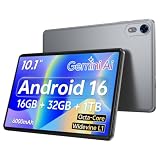
- 【Android 16 Operating System & High‑Performance Processor】This GMS‑certified Nesusthin tablet is equipped with the Android 16 operating system, enabling direct installation of mainstream applications via Google Play Store. Driven by a powerful Octa‑Core T7200 processor with a clock frequency of up to 1.8 GHz, the device is optimized for enhanced multitasking capability. It delivers stable and reliable performance for work operations, video playback and gaming scenarios, offering users a smooth, premium‑grade operating experience
- 【16GB RAM + 32GB ROM & 1TB Expandable Storage Capacity】Nesusthin 10‑inch tablet features 16GB of memory (composed of 4GB physical RAM plus 16GB virtual extended memory) and 32GB built‑in read‑only storage. Additional storage space can be realized through a TF‑Card (NOT Supplied), supporting a maximum expandable capacity of 1 TB. Such hardware configuration facilitates fast application startup and fluid gaming performance
- 【6000mAh Rechargeable Battery】Electronics tablets Packed with a 6000mAh battery and a low-power-consuming CPU, Nesusthin 10 inch tablet offers up to 3 days of standby time and up to 8 hours of mixed usage—perfect for reading, streaming, or web browsing. Charging is a breeze via the USB-C port, making the tablet an ideal companion for both entertainment and work
- 【10‑Inch HD IPS In‑Cell Display】Nesusthin tablet adopts a 1280 × 800 high‑definition IPS In‑Cell display panel, which renders rich and lifelike color reproduction to achieve an immersive visual experience. The 2MP front and 8MP rear camera support video calling and image capturing functions. Incorporated low‑blue‑light technology effectively alleviates visual fatigue induced by screen flickering and harmful blue‑light radiation. Its slim and lightweight construction, the tablet enhances user immersion during diverse daily usage

- [13.4" 1920×1200 TDDI IPS Screen | Immersive Display] T65 tablet features a 13.4-inch 16:10 narrow-bezel widescreen for immersive viewing. TDDI technology reduces touch layers to boost light transmittance for brighter, sharper visuals. It supports Widevine L1 for 1080P HD streaming on Netflix, YouTube and Prime Video. Great for movies, sheet music, comic reading and PDFs, one of the premium large screen tablets for reading and media. All Teclast tablets come with pre-installed tempered glass, saving your extra cost for another tablet screen protector
- [120Hz High Refresh Rate | Smoother Visuals] Compared to the commonly seen 90Hz tablets on the market, this T65 android tablet upgrades to 120Hz refresh rate. This high refresh brings smooth scrolling and snappy touch response for natural, follow-hand operation. Adaptive refresh balances fluid visuals and battery life for comfortable long-time viewing
- [2.2Ghz Octa-Core Chip | Upgraded Performance] This Teclast T65 tablet is powered by T7280 octa-core processor (2×A75 up to 2.2GHz + 6×A55 1.8GHz) + Mali-G57 MP1 GPU. Upgraded from T610 / T615 (1.8GHz A75 + Mali-G52 GPU). Paired with the 120Hz display, this android tablet delivers responsive operation, ideal for students choosing tablets for online classes, document editing, streaming and casual games
- [8000mAh Battery + 32GB RAM & 128GB Storage | All-Round Use] This tablet has an 8000mAh long-lasting battery, slim 8.5mm body and light 720g weight for easy carrying. This android tablet features 26GB RAM (6GB physical + 26GB virtual), 128GB storage expandable up to 1TB via TF card. 13MP rear flash camera and 5MP front camera support document scanning and Zoom calls. Dual stereo speakers offer immersive audio, perfect among wifi tablets for home entertainment. It includes WiFi 5, BT5.0, OTG, GPS, 3.5mm jack and USB-C, great for school, study and commuting

- 【Stable Android 16 System & Octa-core CPU 】This 2026 Stable Android 16 tablet is equipped with a high-performance Unisoc octa-core CPU, a stable Android 16 system with AI, and all functions have been strengthened to a new level. You will enjoy the smooth running of 32GB (4GB+28GB) RAM and 128GB ROM. Perfect for watching videos, learning, video chatting, and reading e-books easily .
- 【11 Anti-blue Eyes Protection Screen 】11-inch tablet not only bigger screen, also features specific eyes protection HD 1280*800 fully-in-cell screen resolution, but the wide viewing angle also provides a more realistic viewing experience. With automatic brightness adjustment combined anti-blue light design for protecting your eyesight, you will be safer and more comfortable while using the tablet.
- 【Dual Stereo Speakers】Dual box stereo speakers sound quality reducing distortion to give you a great audiovisual experience. You will love this Android tablet , enjoy your music , video while traveling with surrounding clear and loud audio.
- 【8000mAh LARGE BATTERY+18W Fast Charging 】This rugged kids tablet built-in a 8000mAh large battery, you will freely enjoy reading or watching videos for 8-10hours on a full charge. No need to worry about the battery while you are traveling on the way .
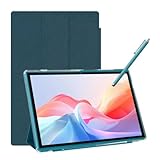
- 【Multi-function Configuration】Android 15 portable tablet with stylus and foldable protective case. You can enter text directly using a stylus, easy response to various scenarios, making your work and study get twice the result with half the effort.
- 【Android 15 Tablet】10 inch Tablet PC is equipped with the latest Android 15.0 system, built-in powerful Quad-core processor, 32GB ROM 8GB RAM(Including 5GB expansion), 1024GB expansion, support Wi-Fi, Bluetooth, GPS and more, enough memory allows you to store more favorite e-books, movies, music, pictures, videos, games
- 【Broad Vision and Responsiveness】The Android tablet uses a 10.1 inch 1280*800 full HD IPS display, which can present a clearer picture effect and richer colors, bringing you a more realistic viewing experience, bringing you clearer and brighter Image. Equipped with 10.0-inch capacitive touch, five-point capacitive touch G+G, to ensure smoother motion in movies and games
- 【Long Battery Life】 The Android tablets powered by a 6000mAh battery, can stand by 360 hours and continuous use up to 6-8 hours, easily charge via the 5V2A Type-C port. Super power and long battery life, say goodbye to the trouble of insufficient power and give you a full sense of security.
Choosing the Right Tablet for Seniors: A Simple Buying Guide
Finding the perfect tablet for a senior loved one can make a big difference in their daily life. Tablets offer easy ways to connect with family, enjoy entertainment, and stay informed. This guide helps you pick the best one.
Key Features to Look For
When shopping for a senior-friendly tablet, certain features stand out. These elements make the technology easier to use and more enjoyable.
Screen Size and Clarity
- Size Matters: Look for screens between 10 and 11 inches. This size offers enough space for large text and comfortable viewing without being too heavy to hold.
- Brightness: A bright screen helps people with aging eyes see clearly, especially in different lighting conditions.
Ease of Use (Operating System)
Simplicity is key. Many tablets use Android or Apple’s iPadOS. Look for tablets that offer a “Simplified Mode” or a very straightforward interface. These modes often feature large icons and fewer confusing menus.
Battery Life
Long battery life means less frequent charging. Seniors should be able to use the tablet for several hours of video chatting or reading without constantly searching for an outlet.
Storage Capacity
Ensure the tablet has enough space (at least 32GB, preferably 64GB) for apps, photos, and downloaded books. More storage means fewer worries later.
Important Materials and Build Quality
The physical construction of the tablet affects how long it lasts and how easy it is to handle.
Durability and Grip
Tablets often get set down quickly or held for long periods. A sturdy plastic or aluminum back is good. Consider pairing the tablet with a protective case. Cases with rubberized edges improve grip and protect against minor drops.
Weight
Lighter tablets are better for seniors who might hold them in bed or on the couch. Heavy devices can cause arm strain.
Factors That Improve or Reduce Tablet Quality
Performance greatly impacts the user experience. A slow tablet frustrates everyone.
Speed (Processor and RAM]
A faster processor and more RAM (at least 3GB or 4GB) ensure apps open quickly. Nothing slows down a user experience faster than waiting for a program to load.
Sound Quality
Good speakers are essential for video calls and watching movies. Clear, loud audio helps users hear conversations without needing to strain.
Camera Quality
While not as important as on a phone, a decent front-facing camera is necessary for clear video chats with family.
User Experience and Common Use Cases
Think about what the senior will primarily use the tablet for. This helps narrow down the choices.
Communication
Tablets excel at video calling (Zoom, FaceTime). Large screens make faces look bigger and clearer.
Entertainment and Reading
For reading books or newspapers, the large, bright screen is a huge benefit over small phone screens. Streaming services like Netflix work well on these devices.
Simple Tasks
Many seniors use tablets for puzzles, simple games, checking the weather, or looking up recipes. The intuitive touch screen makes these tasks simple.
10 Frequently Asked Questions (FAQ) About Senior Tablets
Q: Do I need the most expensive tablet?
A: No. Mid-range tablets usually offer all the necessary speed and screen quality for senior use without unnecessary high-end features.
Q: What is the best operating system for beginners?
A: Apple’s iPad often gets praise for its intuitive nature. However, many Android tablets now offer excellent “Easy Modes” that work just as well.
Q: Should I buy a tablet with cellular data or just Wi-Fi?
A: Wi-Fi is usually sufficient. If the senior plans to travel frequently outside the home, cellular data (like a phone plan) might be helpful, but it costs extra.
Q: How important is screen resolution?
A: It is important. Higher resolution means sharper text and images. Aim for at least 1920 x 1200 pixels for comfortable viewing.
Q: Can I set it up so they can’t accidentally delete things?
A: Yes. Most tablets allow you to restrict app downloads or purchases. Parental control settings can be adapted to lock down access to critical settings.
Q: How do I teach them to use it?
A: Start small. Teach only three things at first: turning it on/off, opening the main video chat app, and adjusting the volume. Practice these often.
Q: Is a stylus needed for seniors?
A: A stylus is not usually necessary unless the senior enjoys drawing or has trouble with small on-screen keyboards. Standard finger touch works fine for most tasks.
Q: What is the minimum RAM I should accept?
A: We recommend a minimum of 3GB of RAM. Less than that can cause noticeable lag when switching between apps.
Q: How important is the front camera quality for video calls?
A: It is very important. Clear video helps maintain connection quality during calls with grandchildren or doctors.
Q: Should I buy a tablet protector case immediately?
A: Yes. A rugged, easy-to-grip case should be purchased at the same time as the tablet. Accidents happen quickly.

Hi, I’m Mallory Crusta, the heart and mind behind LovelyPetSpot.com.. As a passionate pet enthusiast, I created this space to share my experiences, expertise, and love for all things pets. Whether it’s helpful tips, heartfelt stories, or advice for pet parents, my mission is to make the journey of caring for your furry, feathery, or scaly friends as joyful and fulfilling as possible. Join me in celebrating the incredible bond we share with our animal companions!