Have you ever run out of storage space for your precious photos and important documents? Building a custom Network Attached Storage (NAS) server is the perfect solution to keep your data safe at home. However, the heart of any reliable NAS build is the computer case. Without the right home for your drives, your server might overheat, vibrate, or simply fail to fit your growing collection of hard disks.
Choosing the best NAS case is often more difficult than picking a standard desktop tower. You have to balance drive capacity, cooling efficiency, and physical size all at once. Many builders get overwhelmed by technical jargon or buy a case that makes upgrading drives a nightmare later on. It is easy to feel frustrated when you cannot find the perfect balance between price and performance.
In this guide, we will cut through the confusion and highlight the top cases built specifically for storage enthusiasts. You will learn exactly what features matter most, from hot-swap bays to airflow management. We will help you identify which design fits your specific needs so you can build a server that lasts for years. By the end of this post, you will feel confident picking a case that keeps your data cool, quiet, and accessible. Let’s dive into the best options on the market today!
Top Computer Case For Nas Recommendations

- ATX MID TOWER DESIGN: Spacious mid tower layout accommodates ATX motherboards and supports BTF motherboard compatibility.
- MASSIVE STORAGE CAPACITY: Supports up to 11 x 3.5" HDDs, making it ideal for DIY NAS builds, media servers, or small business use.
- SUPERIOR AIRFLOW: Mesh panel front and 4 x 140mm PWM fans provide excellent cooling performance and airflow throughout the case.
- MODERN CONNECTIVITY: Features a USB 3.2 Type-C front panel port for fast and convenient device connections.

- Supports Thirteen Hard Drives: With ample space and compatibility for multiple hard drives, this case ensures you have sufficient storage for all your games and data
- Mesh Front & Side Panel: Allows for efficient air flow, providing optimal cooling performance for your high-end PC components
- Vertical GPU Mount: Show off your graphics card in style and prevent sagging, while keeping it at optimal temperatures for improved performance
- Supports 360 mm Radiator: With the ability to support a 360 mm radiator, this case can efficiently dissipate heat, keeping your system cool and quiet

- Full-Tower Chassis Design: Supports E-ATX motherboards and massive component configurations for professional workstation builds
- High-Density Storage Capacity: Accommodates 11x 3.5" HDD or 13x 2.5" SSD bays for enterprise workloads and large-scale data storage
- Extensive Drive Bay Options: Features 11 external 5.25" drive bays for optical drives and additional storage expansion
- Optimized Cooling System: Equipped with 140mm PWM fan and streamlined airflow design for efficient thermal management

- NAS & MEDIA SERVER READY: ATX mid tower case designed for DIY NAS builds and media servers, supporting up to 8 x 3.5" hard drives.
- SUPERIOR AIRFLOW: Mesh panel design paired with 4 x 140mm PWM fans ensures optimal cooling and consistent airflow throughout the system.
- BROAD COMPATIBILITY: Supports ATX, Micro ATX, Mini-ITX and BTF motherboards, plus 360mm AIO liquid coolers for versatile build options.
- MODERN CONNECTIVITY: Features a USB 3.2 Type-C front panel port for fast and convenient data transfer with compatible devices.

- Full-tower server chassis with E-ATX support and hot-swap drive flexibility
- 8 hot-swap 3.5” SATA/SAS bays + 5 3.5" bay and 2 dedicated 2.5” SSD slots for hybrid storage
- 5 External 5.25 Drive Bays
- USB 3.2 Gen Type-C port ensures rapid data transfers for enterprise workflows

- MASSIVE STORAGE CAPACITY: Features 6x 3.5" HDD bays plus dual 5.25" bays, ideal for DIY NAS builds, media servers, or small business applications.
- PRE-INSTALLED COOLING FANS: Comes with 3x 140mm fans pre-installed for excellent airflow and keeping your components running at optimal temperatures.
- ADVANCED COOLING SUPPORT: Supports up to a 360mm radiator, giving you flexibility to install a liquid cooling system for high-performance builds.
- MODERN CONNECTIVITY: Equipped with a front-panel USB-C port alongside standard USB ports for fast and convenient device connections.

- Supports up to 13 Hard Drives: Supports up to 13 hard disks (10x 3.5“ HDD + 3x 2.5” SDD) to reduce storage space shortage, which ensures you have sufficient storage for all your games and data
- Vertical GPU Mount: The graphics card can be mounted vertically through 3 vertical slots, where the front and rear fans form parallel air ducts for better heat dissipation
- E-ATX Motherboard Supported: E-ATX/ ATX/ M-ATX/ ITX motherboard supported (hard drive cages need to be removed to install E-ATX)
- Supports 360 mm Radiator: Supports max. 360 mm radiator in top to efficiently dissipate heat, keeping system cool and quiet
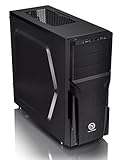
- Designed for gamer, perforated metal mesh front and top panel to allow quick heat dissipation and rapid air intake for maximum ventilation. The heighten foot-stands at the bottom help to enhance airflow
- Tool-free Installation
- The perforated front-top panel has implemented one data transfer SuperSpeed USB 3.0 port along with one standard USB 2.0 port, a HD microphone and headset jacks, to grand direct access when needed
- Optimized Ventilation
The Ultimate Buying Guide: Choosing the Best NAS Case
Building your own Network Attached Storage (NAS) is a smart way to store your data. The right computer case acts as the home for your hard drives. It keeps your files safe and cool. Use this guide to pick the best case for your project.
1. Key Features to Look For
The most important feature is the drive capacity. Count how many hard drives you plan to use. Some cases hold four drives, while others hold twelve. Look for “hot-swap” bays. These allow you to pull out a broken drive without turning off the computer. You should also check for motherboard support. Most NAS builds use Mini-ITX or Micro-ATX boards. Make sure your case fits your chosen board size.
2. Important Materials
Most NAS cases use steel or aluminum. Steel is heavy and very strong. It blocks vibrations from the spinning hard drives. This helps your drives last longer. Aluminum is lighter and helps move heat away from the parts. Some cases use plastic for the front panels. Plastic is fine, but make sure the frame remains sturdy metal.
3. Factors That Improve or Reduce Quality
Airflow is the biggest factor for quality. Hard drives get very hot when they run 24/7. A high-quality case has large fans that push air directly over the drives. Dust filters are also essential. They stop dirt from clogging your fans. Poor quality cases have small vents and thin metal that shakes. This shaking can hurt your hard drives over time. Always choose a case with rubber pads to stop vibrations.
4. User Experience and Use Cases
Think about where you will put the NAS. If it sits on your desk, look for a small, quiet case. If you have a dedicated server room, a rack-mount case works best. Setting up a NAS should be easy. A good case gives you enough room to hide messy cables. This makes it easier to add new drives later.
10 Frequently Asked Questions
Q: Do I need a special power supply for a NAS case?
A: Most NAS cases use standard ATX power supplies. Check your specific case model to be sure. Some very small cases require a smaller SFX power supply.
Q: How many fans should my NAS case have?
A: You need at least two fans. One fan pulls cool air in, and one fan pushes hot air out. More fans usually mean better cooling.
Q: Can I use a regular PC case as a NAS?
A: Yes, you can. However, regular cases often lack enough room for many hard drives. NAS-specific cases are better for storage.
Q: What is a hot-swap bay?
A: This is a slot that lets you remove a hard drive from the front of the case. You do not need to open the side panel to do this.
Q: Is the case size important for speed?
A: The case size does not change your internet speed. It only matters for how many drives you can fit inside.
Q: Should I worry about noise?
A: Hard drives make a clicking sound. A thick metal case will block more of this noise than a thin plastic one.
Q: How do I stop my drives from overheating?
A: Keep your case in an open area. Do not put it inside a closed cabinet. Ensure the air vents are never blocked.
Q: Are rack-mount cases better?
A: These are great for businesses. They save space in server racks, but they are often loud and not ideal for home offices.
Q: Do I need tools to install drives?
A: Many modern NAS cases are “tool-less.” You can slide your drives into place without a screwdriver.
Q: Can I paint my NAS case?
A: You can paint it if you want. Just make sure you do not cover the air vents with paint.

Hi, I’m Mallory Crusta, the heart and mind behind LovelyPetSpot.com.. As a passionate pet enthusiast, I created this space to share my experiences, expertise, and love for all things pets. Whether it’s helpful tips, heartfelt stories, or advice for pet parents, my mission is to make the journey of caring for your furry, feathery, or scaly friends as joyful and fulfilling as possible. Join me in celebrating the incredible bond we share with our animal companions!